
Alberta PDD group homes
Your staff turn over. The record cannot.
Easydocks is documentation software for operators running Alberta group homes funded by Persons with Developmental Disabilities. The shift gets written on a phone while it is still running, in the structure a reviewer expects. A casual on their first shift files the same shape of record as the worker who has been in that house four years, because the required parts are required for both of them. When a caseworker calls eleven days later, you open the file and read it. One flat monthly rate for each house, with every support worker included.
What running four houses on paper actually looks like
A caseworker calls on a Tuesday afternoon. There was an incident at one of your houses eleven days ago and they want the file. You know it happened. You heard about it on the Thursday, in a hallway, second hand.
So you drive, because the binder lives in that house and nowhere else. The account is four pages into it, written at six in the morning by a casual who has not worked a shift since, in handwriting the next person on that rotation will have to learn to read. It says the resident was agitated and staff redirected. It does not say what happened immediately before. The notification log at the front has a date and no time.
None of that is misconduct. Every gap in it is a tired person at the end of a night shift doing their best with a pen, and a gap is invisible from the inside until somebody outside your organization asks to read six weeks of it in one sitting. But you cannot produce a Tuesday that is eleven days gone, and asking the casual to remember it now makes the answer partly reconstruction.
Easydocks does not make that night easier to work. It changes what is left of it afterwards: the account is written on a phone while the shift is still running, in the structure a reviewer expects, by the person who was there, so when the call comes eleven days later you open the file from wherever you are and read it.
What it does on the ground
The 2am incident
By the time the shift ends, it is a filed report, not a note somebody meant to write up.
Written on the phone, in the structure a reviewer expects: what was happening before, what the person did, how safety was restored. All three are required, so none of them get skipped at 4am. The clock starts at the incident, and a manager signs off that the right people were told.
The allegation the accused cannot read
An abuse report never lands in a file the person it names can open.
The app asks one question before anything else: is someone suspected of harming this resident? If yes, it opens an abuse report instead of an incident report. The two are separate systems: separate forms, separate permissions, separate files. Nothing written in one can surface in the other.
Where the resident's money went
Every dollar in a resident's envelope is explainable months later.
One envelope per resident. The worker on duty counts it, receipts are photographed at the till, and nothing is overwritten, so a balance reads forward from the entries that made it. If a count comes up short, the person who counted cannot be the person who signs it off.
What actually happened on shift
The handover is the record of the shift, not what somebody remembered at the door.
Daily logs, resident tasks, and handover are tied to the house and the shift they belong to. A worker signing in sees only the house they are rostered to. The handover the next shift reads is built from what was written while the shift was running, not summarized from memory at 7am.
A filed report stays filed
Change a field today and last month's reports do not quietly change with it.
The part your support workers fill in stays the same in every house, so the record does not drift from one site to another. The manager review section is yours: an administrator adds the fields your organization needs from a settings screen. Once a manager fills it in, it is snapshotted onto the finished report. A document you filed in March still reads in June exactly as it read the day you filed it.
Nobody can rewrite history
Not a manager, not an administrator.
Cash entries, incident reports, and abuse reports cannot be edited or deleted once filed. That rule lives in the database itself, not in the app, so no software update can loosen it and no shortcut gets around it. Corrections are added as new records, with the original still readable underneath.
What it looks like on shift
Opening the shift, writing a log against a resident, counting an envelope and recording a spend, then handing over. The same shift your staff already work, with the paperwork finished by the time they leave.
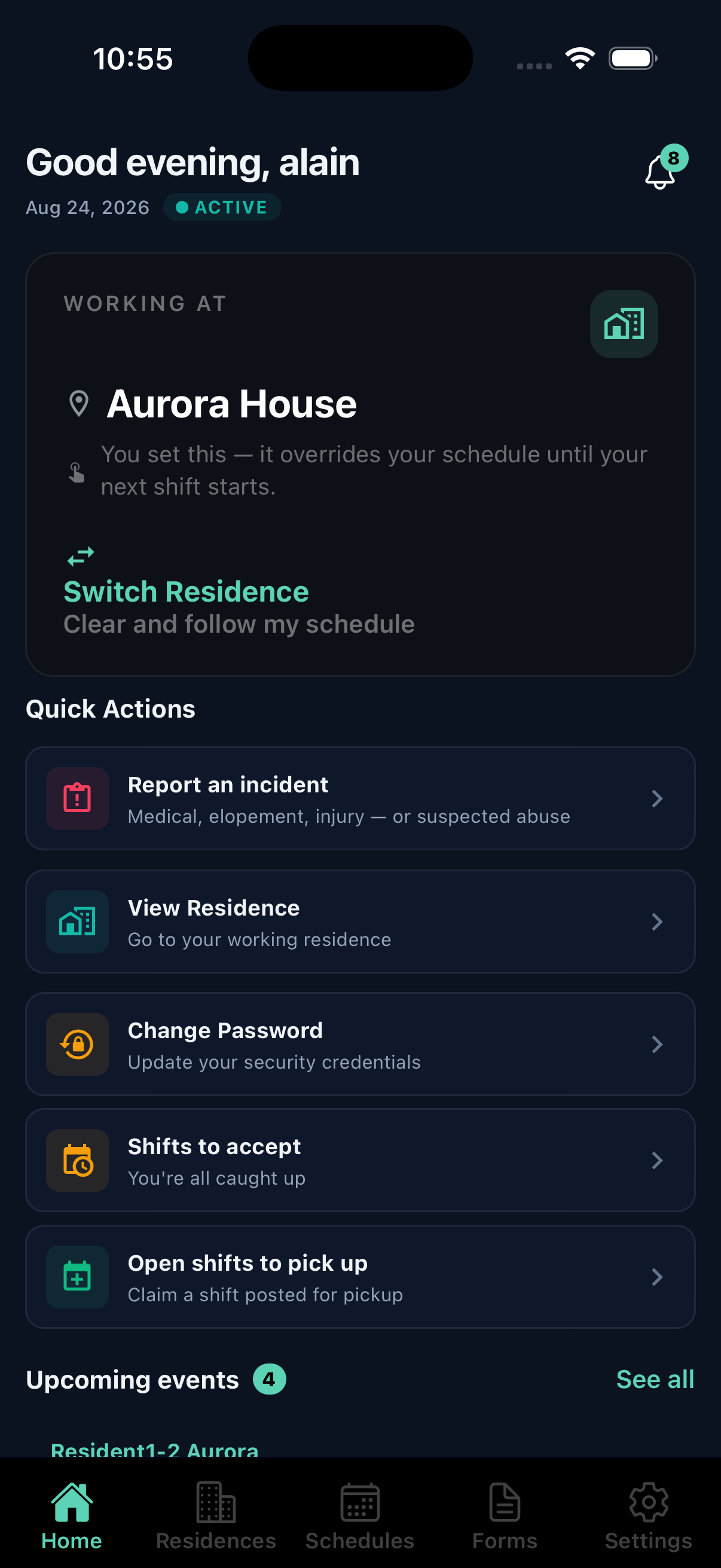 Sample data
Before you put resident information anywhere
- A support worker sees the houses they are actually assigned to and nothing else. That is applied before anything reaches their phone, so a resident in another house is never sent to their device at all. Assignment ends, access ends that day.
- Cash entries, Critical Incident Reports, and abuse reports cannot be changed or removed by anybody. The database itself refuses, which is why it holds even against direct access to the data.
- Receipt photos are never sitting on a public link. Each one is fetched through an address that stops working after five minutes, so a link that leaks is a link that has already expired.
Pricing
One flat monthly rate for each house, with every support worker included.
See it against your own houses
A demo is a conversation about how your houses actually run and whether this fits them. Bring the awkward questions about audits, cash, and what happens when a caseworker asks for a file. You will hear back within two business days.